Today we're launching something we've been excited about for a while: Envelope now has a remote MCP server. That means you can connect Claude Desktop, Claude Code, or any MCP-compatible client directly to Envelope and build, update, and publish apps without ever opening a browser.
You talk to Claude. Claude talks to Envelope. Your app is live.
What is MCP?
MCP (Model Context Protocol) is an open standard that lets AI assistants connect to external tools and services. Think of it as a universal plug that lets Claude reach into other platforms and do real work - not just talk about it.
With Envelope's MCP server, Claude can create apps, update code, publish to a live URL, manage assets, and more. All through natural conversation.
What you can do
Once connected, Claude has access to a full set of Envelope tools:
- Create a preview. Describe an app and Claude writes the code, creates it on Envelope, and gives you a live preview link.
- Update a preview. Ask Claude to change something - add a feature, fix a bug, restyle a page - and it updates the app in place.
- Publish. Tell Claude to publish and your app goes live at a shareable
envelope.buildURL. - Manage apps. List your apps, get details on any one of them, or delete apps you no longer need.
- Upload assets. Send images, audio files, JSON data, or other assets that your app needs. Claude uploads them to Envelope and wires them into the code.
- Debug. Claude can pull runtime errors from your preview and fix them in the same conversation.
The whole loop - build, preview, fix, publish - happens inside a single conversation.
How to connect
Claude.ai & Claude Desktop
- Open Settings → Connectors in Claude.ai or Claude Desktop.
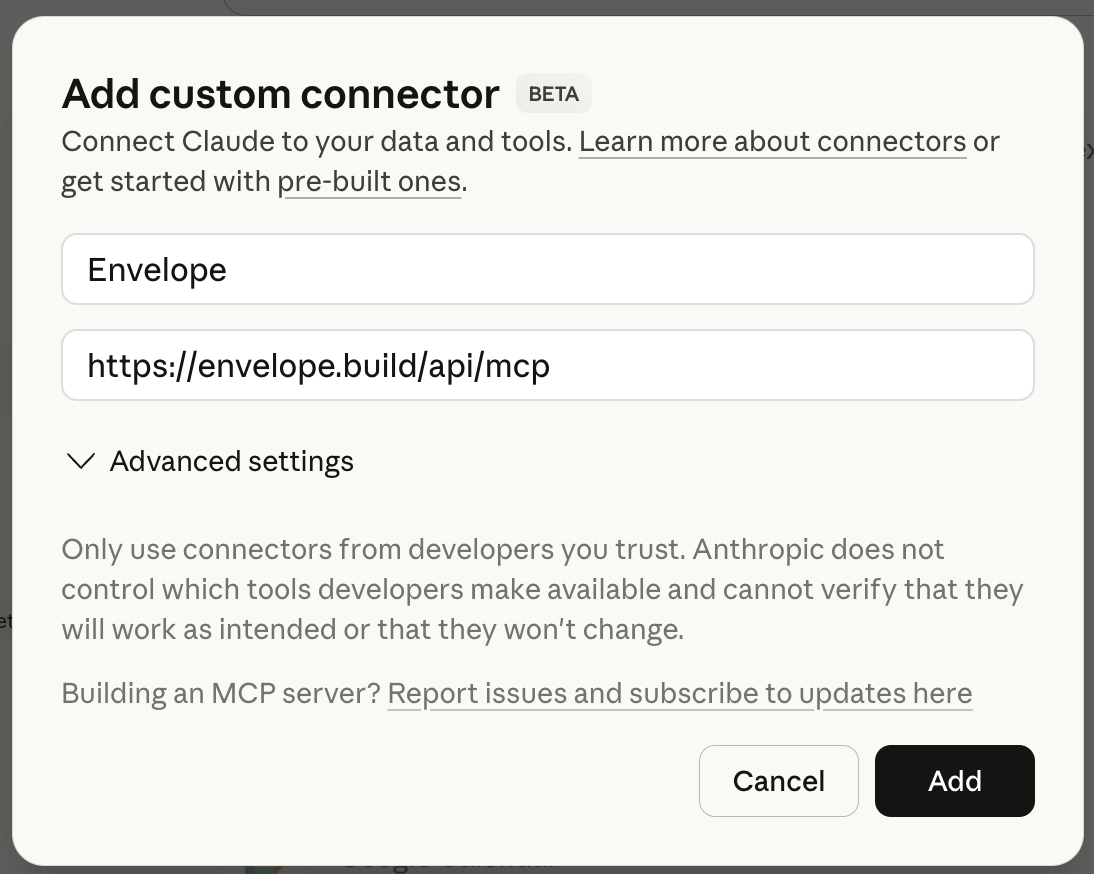
- Click Add custom connector, enter "Envelope" as the name and
https://envelope.build/api/mcpas the URL. Click Add.
- Claude Desktop will open a browser window to authenticate with your Envelope account.
- Once connected, start a new conversation and ask Claude to build something.
Claude Code
Run this in your terminal:
claude mcp add envelope https://envelope.build/api/mcp
Authenticate when prompted. That's it. Claude Code can now create and manage Envelope apps.
Other MCP clients
Any client that supports the MCP standard can connect to https://envelope.build/api/mcp. Envelope uses OAuth 2.0 for authentication, so the client will need to support the MCP auth flow.
What it looks like
Here's a real example. You open Claude Desktop and type:
Build me a tip calculator. Let people split the bill between friends, choose a tip percentage, and see what each person owes. Make it look clean.
Claude writes the code, calls create_preview, and replies with a link to your working app. You open it, try it out, and say:
The buttons are too small on mobile. Make them bigger and add a 20% tip preset.
Claude calls update_preview. The app updates. You check the link again - it's already there.
Looks good. Publish it.
Claude calls publish_app. Your app is live at envelope.build/tip-calculator. You text the link to your friends.
The whole thing takes a few minutes.
Why this matters
Envelope's builder in the browser is great for starting from scratch. But if you already use Claude as your daily AI assistant, MCP lets you build apps without switching context. You're in a conversation, you have an idea, you build it right there.
It also opens up more advanced workflows. You can ask Claude to iterate on an app across multiple conversations, upload custom assets, or build something that needs back-and-forth debugging. Claude can pull error logs from the preview, fix the code, and update the app - all in one turn.
Try it
If you have Claude Desktop or Claude Code, you can connect to Envelope right now. Go to your dashboard and click Connect to Claude to see setup instructions, or just add the server URL directly:
https://envelope.build/api/mcp
Describe what you want. Claude builds it. You share the link.