Getting Started
Envelope turns a plain-English description into a working app, then gives you a link anyone can install on their phone. No app store, no code required. This guide walks through building, publishing, and sharing your first app.
Create an app
Create an account and open your dashboard. There are a few ways to create an app:
Build with AI
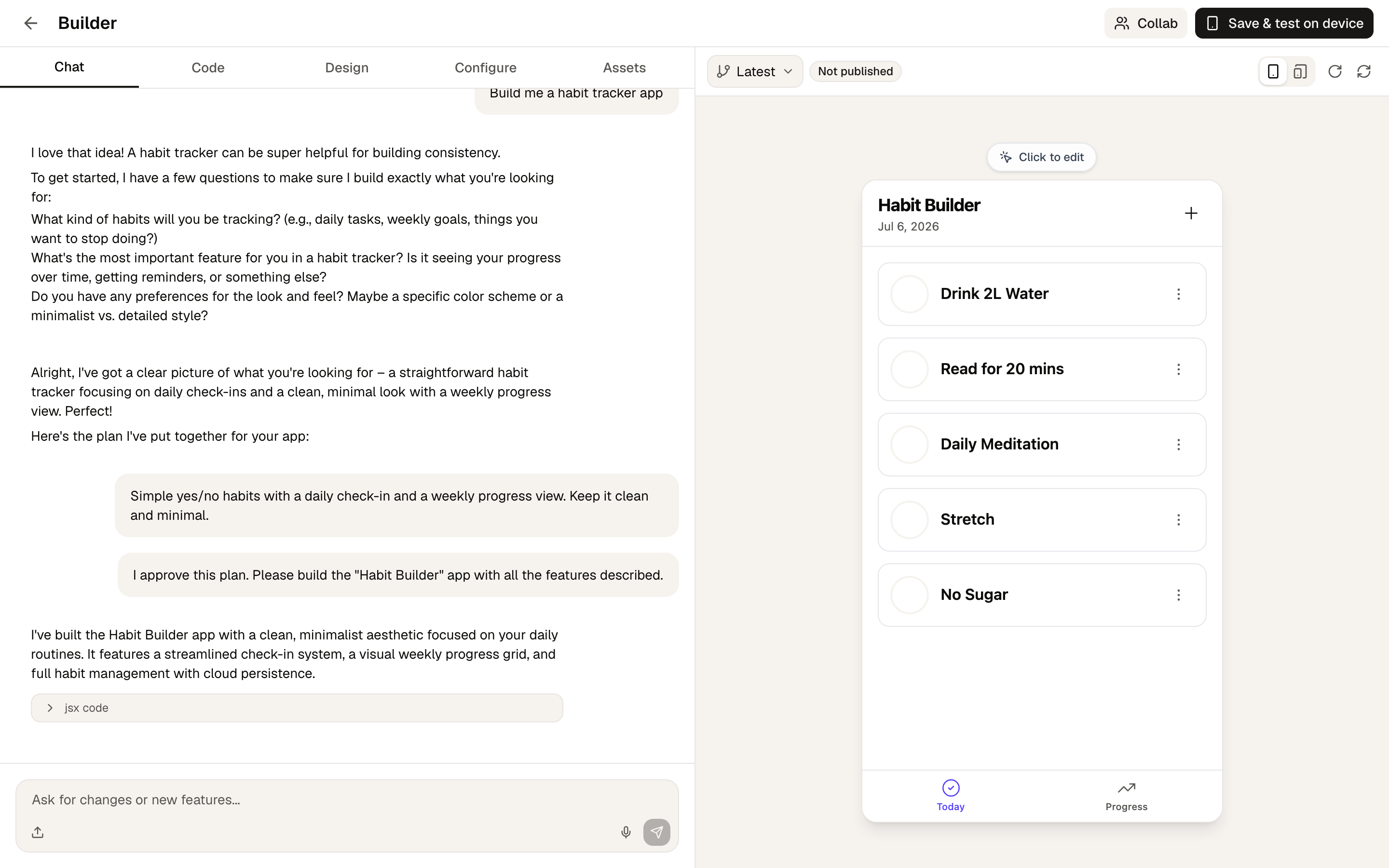
Click Build with AI and describe the app you want: "a workout tracker with a weekly summary," "a recipe box for my sourdough experiments," anything. The AI builds it and shows you a live preview.
From there you iterate in chat: "make the buttons bigger," "add a dark theme," "save entries so they sync across devices." Every change is saved as a version, and you can revert to any earlier version at any time.
The Configure tab is where you set the app's name, icon (upload one or generate one with AI), theme color, and modules: capabilities like a cloud database, push notifications, or an AI chatbot.
Paste a URL
Already have a web app? Click Paste URL, enter its address, and pick a name and icon. Envelope wraps it in an installable link so people can add it to their home screen like a native app.
Start from a template
The home page has a Start from a template section with featured starter apps. Pick one and it's cloned into your account, ready to customize with AI.
Publish and share
When you publish, your app gets a link like envelope.build/your-app. Send it to anyone.
When someone opens the link on their phone, they see a clean install page with your app's name, icon, and step-by-step Add to Home Screen instructions matched to their device (iOS or Android). Once installed, the app opens full-screen from their home screen, just like an app from the store.
See how it's doing
Your dashboard shows visits and installs for each app, so you can see how many people are opening your link and adding the app to their phone.
Next steps
- Modules: add a database, auth, AI chat, and more
- Workflows: automate multi-step tasks behind your app
- Collaboration: build an app together with someone else
- SDK Reference: the APIs available inside built apps