Modules
Modules add capabilities to an Envelope app: cloud storage, sign-in, AI chat, push notifications, and more. Each module exposes an SDK inside your app (documented in the SDK Reference) and, where needed, a settings panel in the builder.
Enabling modules
There are two ways a module gets enabled:
- Automatically: when you build with AI, the builder detects which capabilities your app needs and enables the matching modules. Ask for "an app that saves my notes to the cloud" and the Database module turns on by itself.
- Manually: open your app in the builder, go to the Configure tab, and toggle modules on or off.
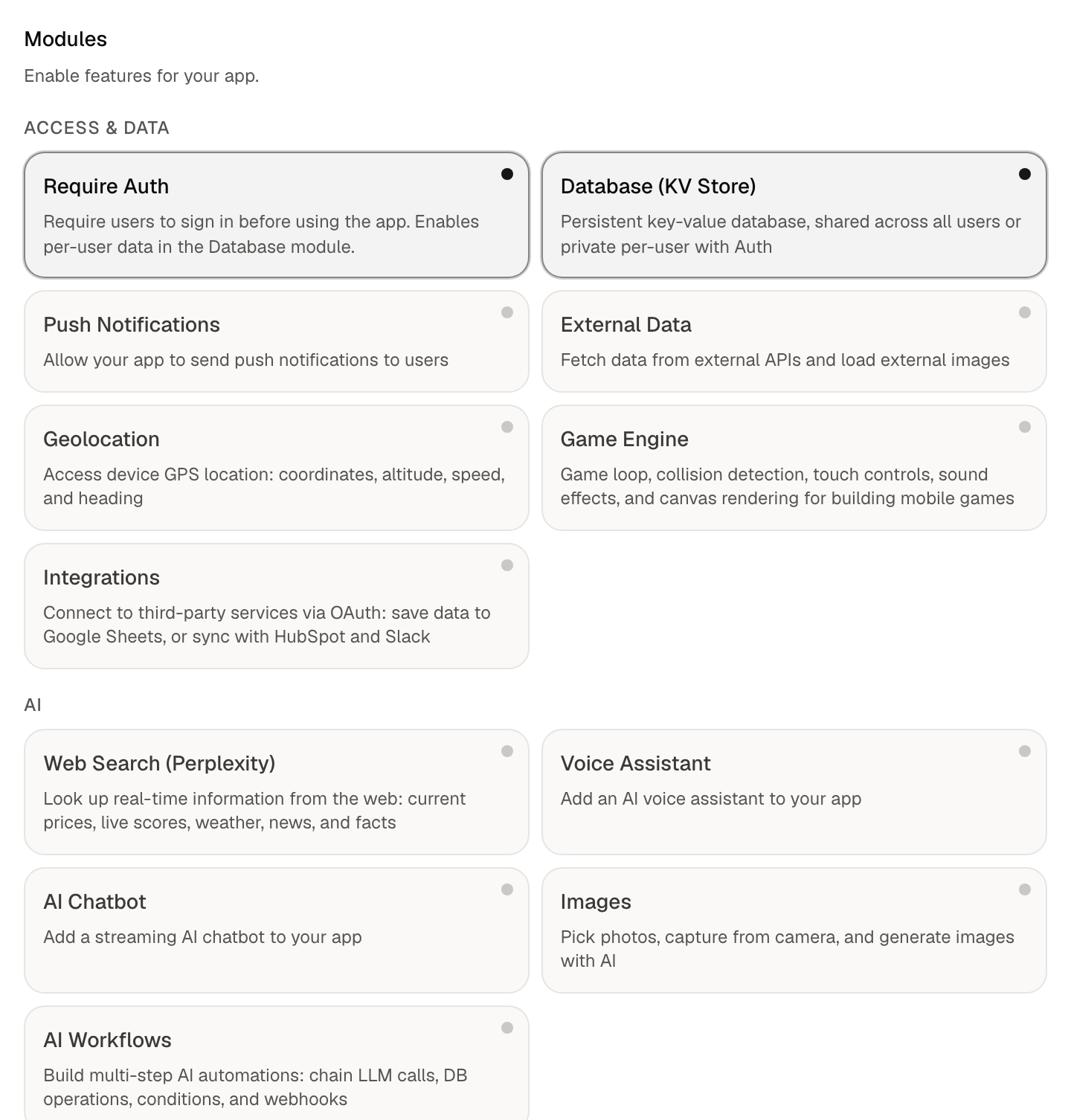
Available modules
Database (KV Store)
Cloud-backed key-value storage via envelope.db. Data persists across devices and sessions. Supports two scopes: app (shared by all users of the app, good for leaderboards and shared content) and user (private to each signed-in user, requires the Require Auth module).
Require Auth
Requires people to sign in before using your app. Users get an Envelope account and your app can read their identity. Enabling auth is also what unlocks per-user data in the Database module.
External Data
Call outside APIs from your app with envelope.fetch. Use it for any third-party data source your app needs.
AI Chatbot
A conversational AI inside your app via the useChatbot hook. You control the system prompt and model from the Configure tab.
Web Search (Perplexity)
Real-time web search with AI-generated answers via envelope.ai.
Images
Let users pick photos, take pictures with the camera, or generate images with AI.
Voice Assistant
A real-time voice assistant inside your app via the useVoice hook, with a configurable system prompt.
Push Notifications
Send server-sent notifications to people who have installed your app, via envelope.push. Separately, every app (no module needed) can schedule local notifications with envelope.notify.schedule and cancel them before they fire; see Pre-Built Helpers in the SDK Reference.
Geolocation
Read the device's GPS location via envelope.geo.
Game Engine
A canvas-based game engine for building games with rendering, input, and a game loop.
AI Workflows
Multi-step automations that run in the background. See the Workflows guide.
Integrations
Connect third-party services like HubSpot and Slack using OAuth. See the Integrations guide.
Next steps
- SDK Reference: the full API for every module
- Getting Started: build and publish your first app